- Version
- 1.0.0
- Availability
- Download ZIP; 239,387 bytes.
- Requirements
- Windows 10 or 11. No administrator access or network required.
- Limitations
- Manual setup is available if Windows Script Host is disabled. Keep the extracted files for manual installation.
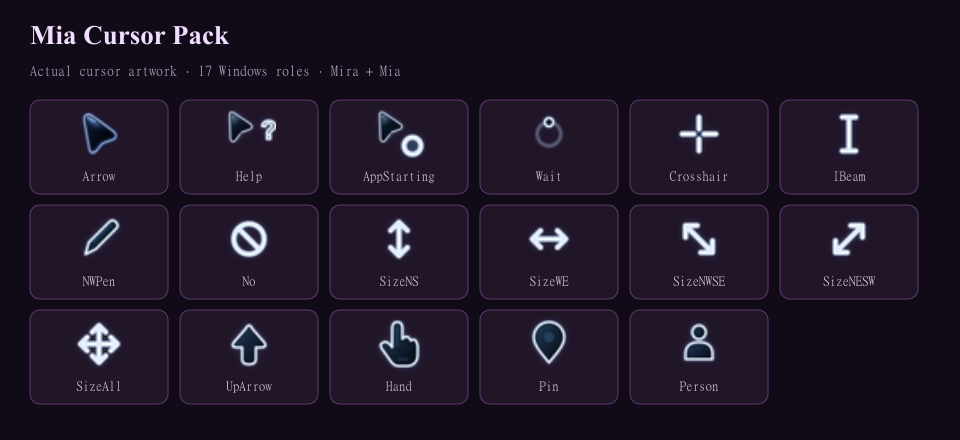
This is Mia's actual current Midnight Glow cursor scheme. The arrow, animated Busy cursor and all 15 other roles are copied from her active cursor files without changing their bytes.
Install: extract the whole ZIP and open Install.vbs. It saves your current scheme as Before Mia Cursor Pack, registers Mia Cursor Pack and opens Mouse Properties > Pointers. Choose Mia Cursor Pack and click Apply when you want it. Your active cursors are not replaced automatically, and you can keep your current Busy cursor.
If Windows Script Host is disabled, open Mouse Properties > Pointers, browse to each matching .cur file, and use Wait.ani for Busy. Save As Mia Cursor Pack and keep the extracted folder.
Switch back: choose Before Mia Cursor Pack or your previous scheme, then Apply. To remove, apply another scheme first, delete the Mia Cursor Pack scheme in Mouse Properties, then remove %LOCALAPPDATA%\MiaCursorPack.
No administrator access, background app, telemetry or network. All 17 roles were loaded by Windows at 32, 48 and 64 pixels. No private previous-scheme backups or computer-specific paths are included.
SHA-256
5a2cf157ecd5029bbd2425a3461ee83c5e635cc765bc24f618d364cd60276e72